memo.waiyers.com/android/
In test · Free during the test phase
Memo for Android.
Phones and tablets, finger or stylus, voice notes recorded on the device. The same library and Google Drive sync as on the web, in a native app.
Test places open soon. E-mail us and we send you the link.
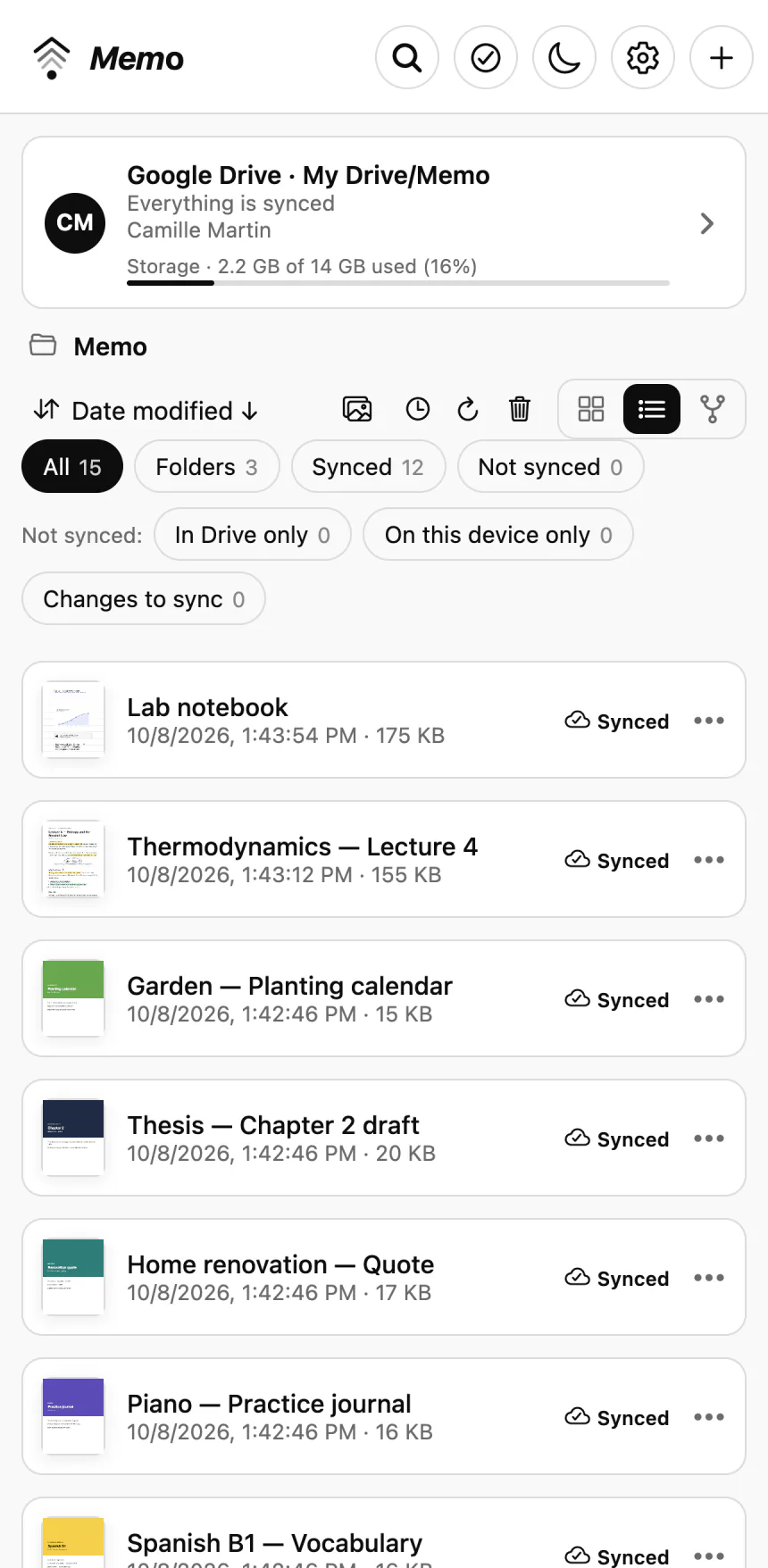
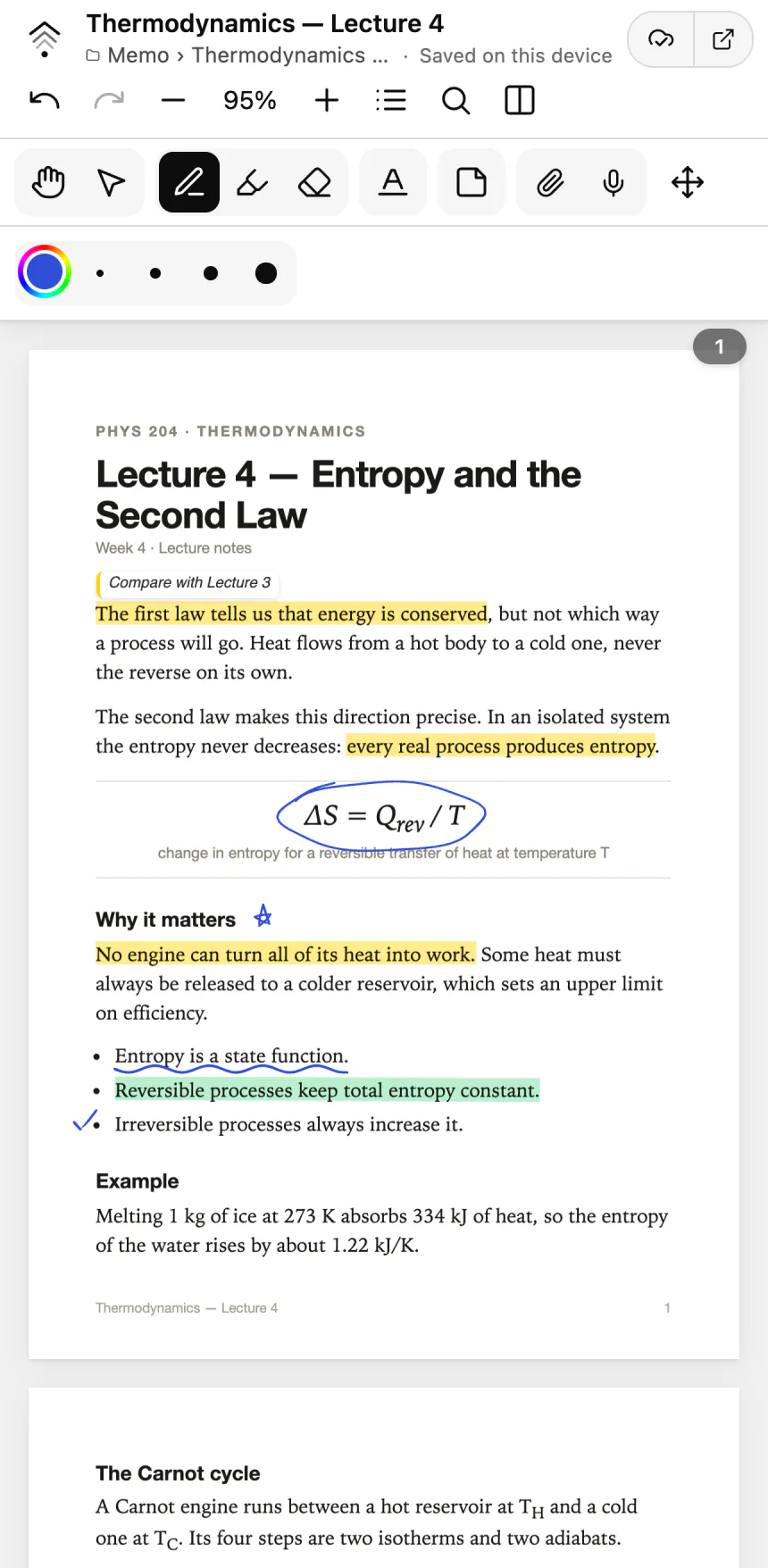
On your Android phone.
Pen, highlighter and notes, right on the page.
Write right on your PDFs. A pressure-sensitive pen, a highlighter, shapes and notes on text. Every stroke is saved as a standard PDF annotation, so the file opens in any reader.
Your files, your Drive. The library is one folder of your Google Drive, My Drive/Memo by default, with sync when you want. Or keep it on this device, no account needed.
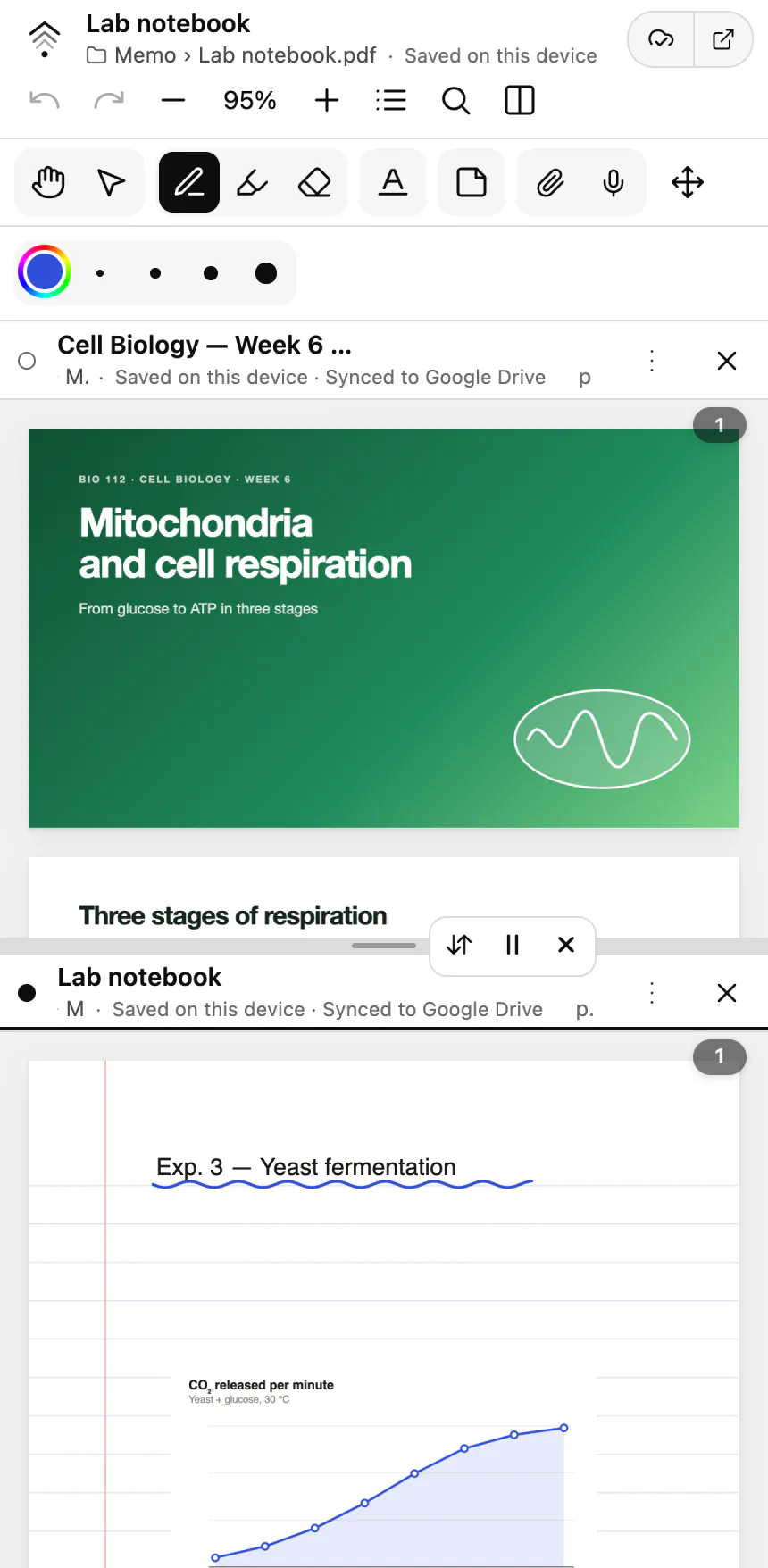
Two documents, one screen. Open documents side by side, stacked or in a 2 × 2 grid, up to 4 at once. Drag the dividers, swap panes, open the same PDF twice to compare pages.
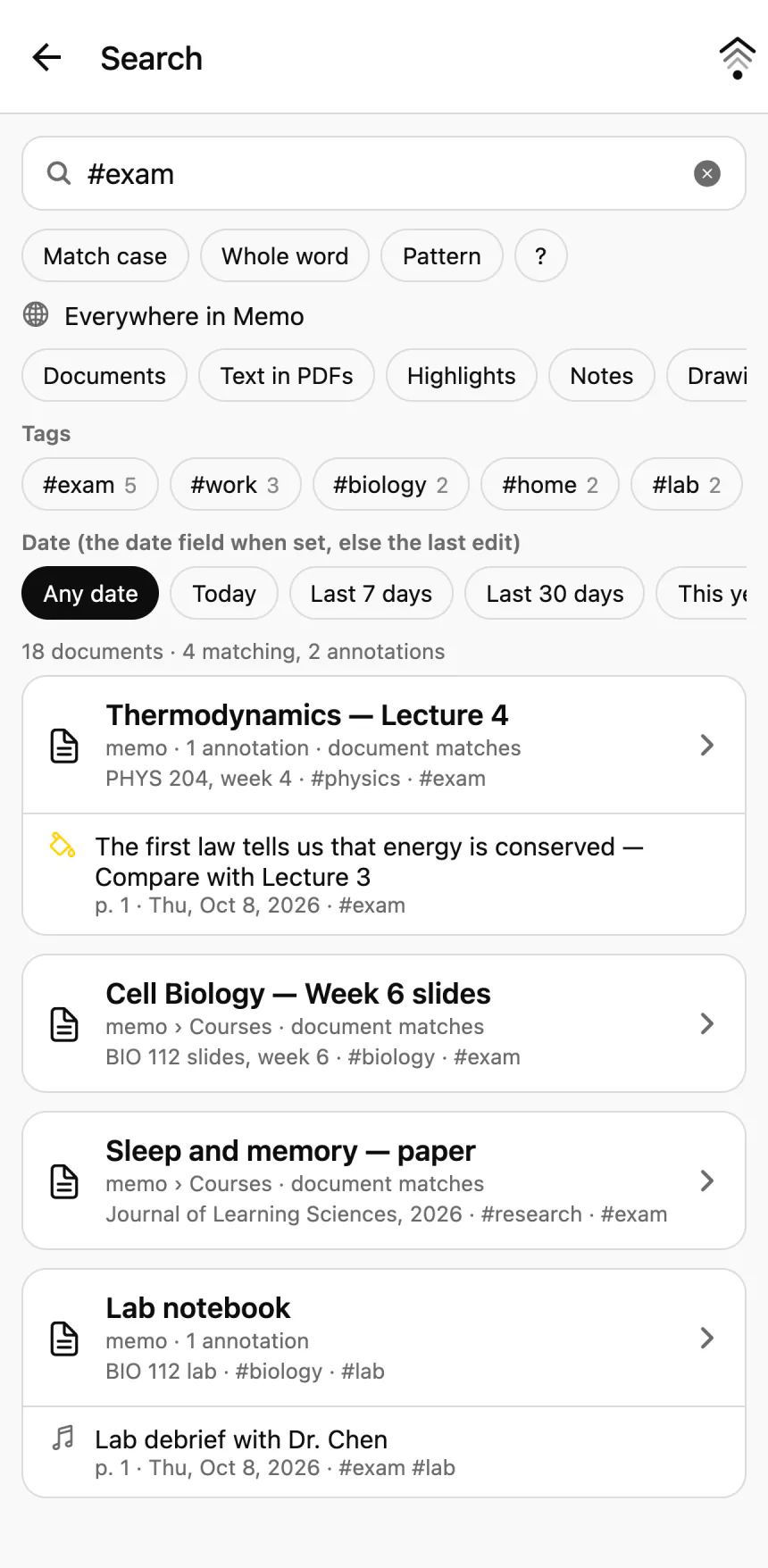
Find anything by #tag. Search the text printed on the pages and your notes, comments and media titles, across the whole library. Filter by kind, tag and date.
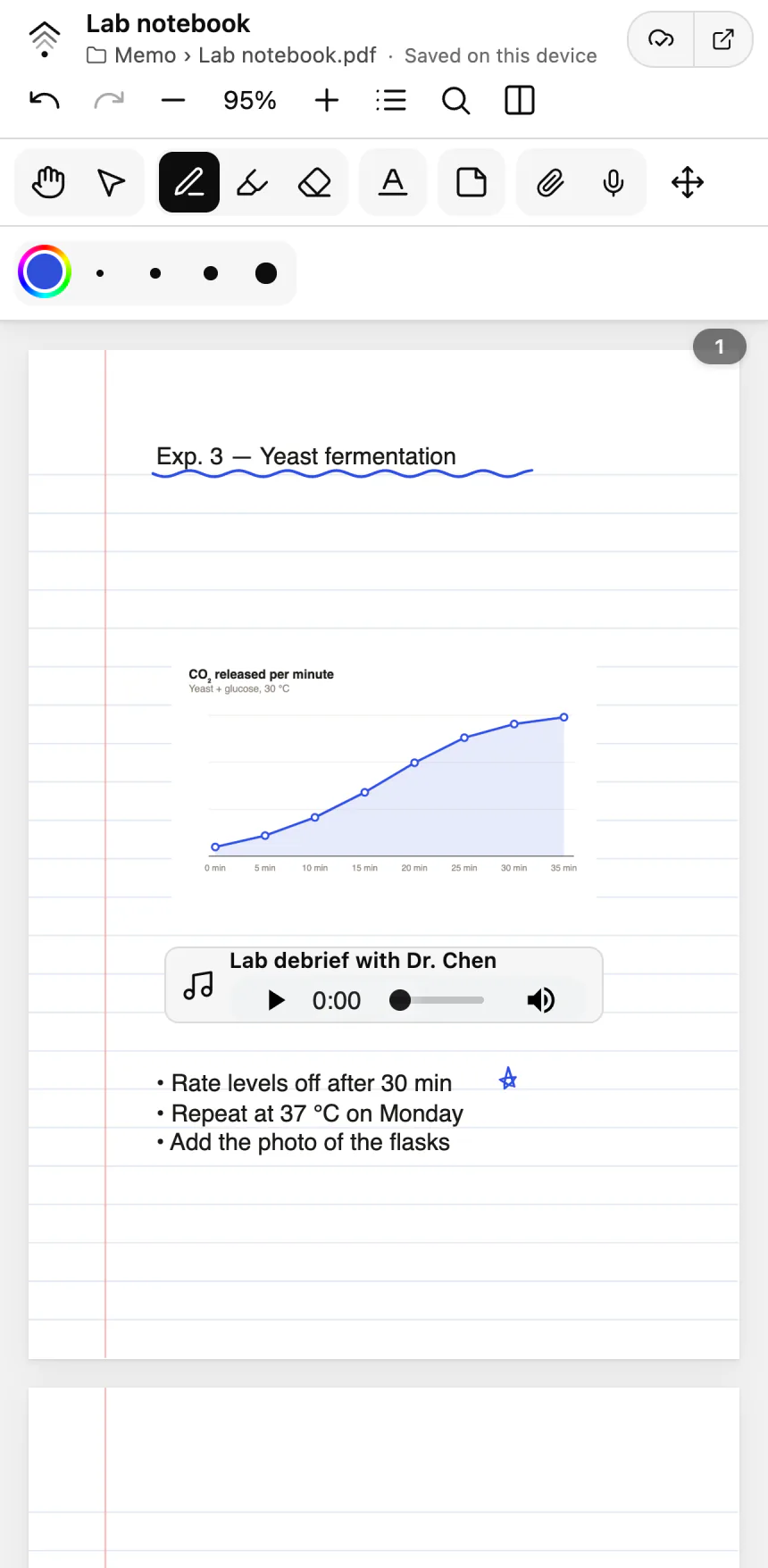
Voice notes on the page. Record right on the page, or add photos, videos and any file. They are embedded in the PDF as standard attachments and play inline in Memo.
What you get on Android.
Everything here ships today.
Finger or stylus
Once a stylus is used the pen draws and fingers scroll. Without one, a finger draws with a drawing tool and two fingers scroll and zoom.
Voice notes, recorded natively
Record right on the page. The voice note is embedded in the PDF as a standard attachment and plays inline in Memo.
Fits a phone
In portrait the toolbar wraps onto several lines so every button stays visible, or groups the rest in a More buttons menu if you prefer.
Split view on tablets
Open documents side by side, stacked or in a 2 × 2 grid, up to 4 at once. Drag the dividers, swap panes, open the same PDF twice.
Search the text and your notes
Find what is printed on the pages and what you added, in one document or across the library, with match case, whole word and patterns.
Google Drive, or this device only
One folder of your Drive, My Drive/Memo by default, with sync when you want. Or "Use on this device only": no account needed.
Early access, in three steps.
Memo for Android is in Google Play testing. Three steps, a minute or two.
Step 01
Step 1: Request early access
E-mail us from this page. Test places open soon.
Step 02
Step 2: Get the opt-in link
We send you the Google Play testing link. Open it signed in with the Google account of your device.
Step 03
Step 3: Install from Google Play
Become a tester, then Memo installs like any app, and updates come through Google Play.
Test places open soon. E-mail us and we send you the link.
During the test phase Memo is free. When it ships in the store it costs 9.99 € a month after a 14-day free trial.
Requirements on Android.
- Android 7.0 (API 24) or later, phone or tablet.
- A stylus is optional: a finger draws when no stylus is used.
- A Google account only if you want to store PDFs in Google Drive.
- During the test: a Google account signed in on the device, to opt in on Google Play.
One plan. 9.99 € a month.
Free during the test phase. The subscription starts when Memo ships in the store.
One plan
Memo
Free during the test phase9.99 €per month
14 days free. Billed by the App Store or Google Play. Cancel in your store subscriptions.
The web app is free for now: the stores cannot bill a website. If that changes, it is announced here first.
Good to know.
Q.01Is Memo for Android free right now?
Yes. The app is in Google Play testing and nothing is charged during the test phase. When it ships in Google Play it costs 9.99 € a month after a 14-day free trial, billed by Google Play.
Q.02How do I join the Google Play test?
Open the opt-in link while signed in with your Google account, tap "Become a tester", then install Memo from Google Play like any app. Updates arrive through Google Play. If the link is not on this page yet, request early access by e-mail and we send it to you.
Q.03Does my web library show up?
Yes, if you connect the same Google Drive folder: the library is that folder, on every device. Edits from different devices are merged annotation by annotation. "Use on this device only" keeps a library on this device only.
Q.04Which Android version do I need?
Android 7.0 (API 24) or later, on a phone or a tablet.
Memo for iPhone and iPad
Apple Pencil with pressure, voice notes recorded on the device, your PDFs in the Files app. The same library and Google Drive sync as on the web, in a native app.
All the ways to get Memo
The web app, the iPhone and iPad app and the Android app, with the requirements of each.